Boutronique

A Lightweight Tool for Sample Identification and Looping

Key Features

Boutronique is a simple, efficient utility for musicians and audio makers who need to prepare loops without unnecessary complexity.

  • Focus on Looping: A dedicated interface for waveform selection and instant preview.
  • Batch Processing: Define and export multiple samples from a single source file in one session.
  • Smart BPM Tools: Automatic tempo detection with a visual layout designed for easy manual adjustments.
  • Fast Export: Save your regions as high-quality WAV files in seconds.
  • Torso S-4 Ready: Automatic 48kHz/16-bit export and BPM naming for seamless hardware sync.
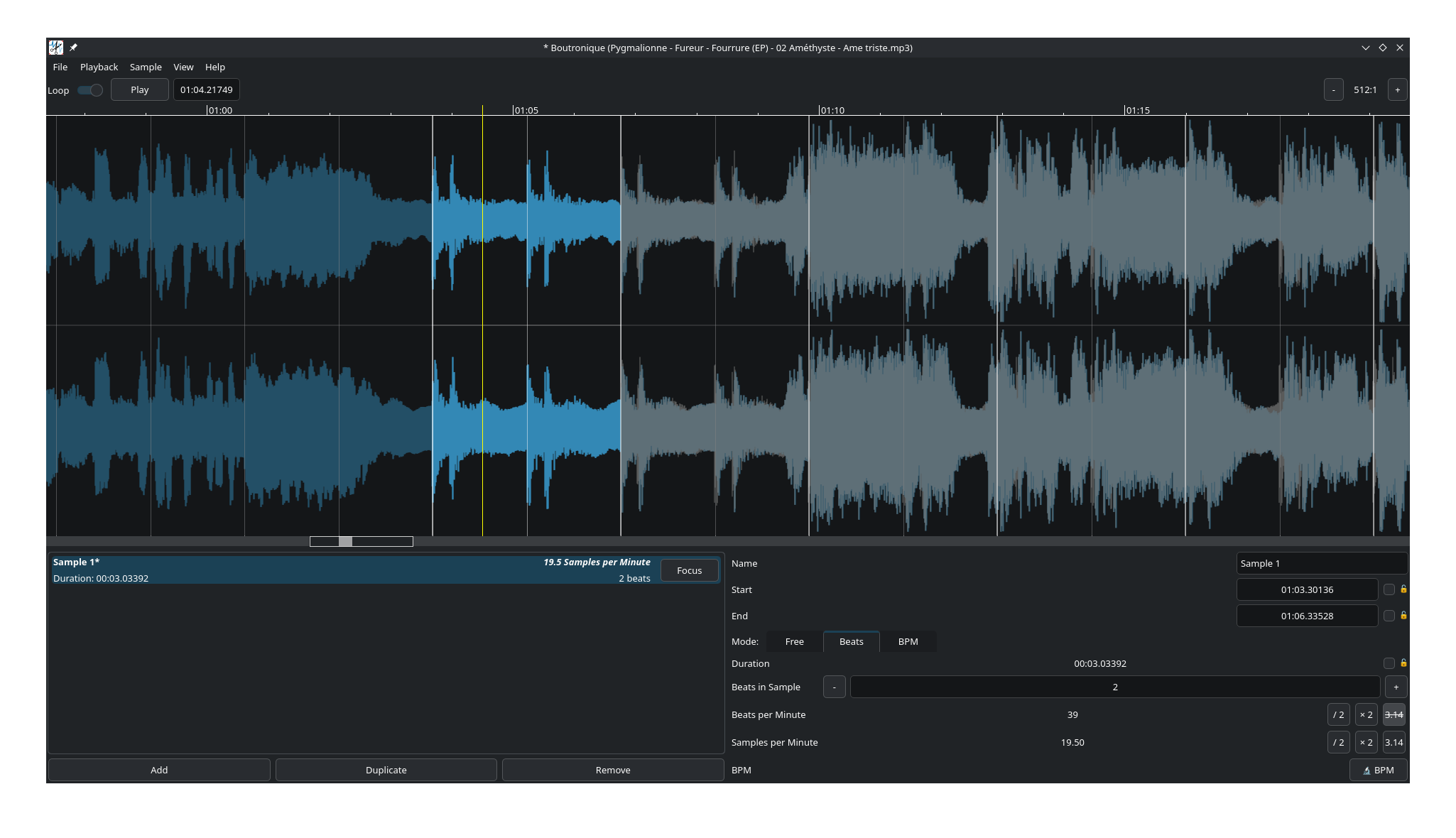
Screenshot in English

This software is distributed under the GPLv3 license, and developped using Qt6 and QtQuick libraries.

Download

Version 1.0.1

Operating System Download Size
Windows Installer 75 Mo
Linux AppImage 85 Mo
Source code Gitea (April) -

Note for Windows Users: As Boutronique is an independent open-source project and not digitally signed by a commercial authority, Windows SmartScreen may flag the installer. To run it, right-click the file, select Properties, check Unblock, and click Apply. Alternatively, click "More info" and then "Run anyway" when the blue warning appears.

Changelog and previous versions

All versions

1.0.1

  • Refined BPM in filenames: rounded to 3 decimal places (trailing zeros removed)
  • Added support for 16-bit PCM WAV export.

1.0.0

  • Initial release

Download Boutronique 1.0.0: Installer for Windows, AppImage for Linux

Demo

Community & Contributions

Translations

Boutronique is available in English and French. The interface is built with Qt6 and QtQuick, allowing for a smooth and modern user experience.

Get Involved

This tool is open to improvements! If you have suggestions for new features or wish to contribute to the code or translations, your help is welcome.

Feel free to reach out via the source code repository or contact the author directly at jeanmarie.favreau@free.fr.

Boutronique main window

Full size screenshot